Master Digital Decluttering: Organize Inbox & Desktop by 2026
In our increasingly digital world, the lines between our physical and virtual spaces have blurred. Just as a cluttered physical environment can lead to stress and inefficiency, a chaotic digital landscape – an overflowing inbox, a desktop littered with forgotten files – can severely hamper our productivity, creativity, and overall well-being. The year 2026 is fast approaching, and with it, an opportunity to reset and reclaim control over our digital lives. This comprehensive digital decluttering guide is designed to equip you with the essential strategies to achieve a truly organized inbox and desktop, paving the way for a more efficient, focused, and peaceful digital existence.
The concept of digital decluttering goes beyond merely deleting old emails or moving files around. It’s about establishing sustainable systems, cultivating mindful digital habits, and understanding the psychological impact of digital overload. By 2026, you can transform your digital workspace into a streamlined, productive haven, rather than a source of constant distraction and anxiety. Let’s embark on this journey to digital liberation, one strategic step at a time.
The Silent Drain: Why Digital Clutter Matters More Than You Think
Before diving into the "how," it’s crucial to understand the "why." Many of us tolerate digital clutter, viewing it as a minor inconvenience rather than a significant impediment. However, the cumulative effect of a disorganized digital environment is profound. Consider the following:
- Cognitive Overload: Each unread email, every icon on your desktop, and every open tab represents a small cognitive load. Your brain, even unconsciously, processes these visual cues, leading to mental fatigue and reduced capacity for focused work.
- Wasted Time: How much time do you spend searching for that one crucial document, sifting through hundreds of emails for a specific conversation, or trying to locate a downloaded file? This wasted time adds up, significantly impacting your productivity.
- Increased Stress and Anxiety: The sheer volume of digital "stuff" can create a constant underlying hum of anxiety. The feeling of being perpetually behind, of having forgotten something important, or of being overwhelmed by notifications contributes to chronic stress.
- Reduced Focus and Creativity: A cluttered digital space is an enemy of deep work. Constant pings, visual distractions, and the mental effort required to navigate disorganization pull you away from tasks that require sustained attention and creative problem-solving.
- Security Risks: Old files, unused accounts, and forgotten downloads can pose security vulnerabilities. A thorough digital decluttering guide isn’t just about aesthetics; it’s also about safeguarding your digital identity.
Recognizing these challenges is the first step towards embracing a more organized digital future. By 2026, you can be free from the silent drain of digital clutter, allowing you to reclaim your focus and peace of mind.
Step 1: Taming the Inbox Beast – Achieving Inbox Zero and Beyond
The email inbox is often the most formidable frontier in the battle against digital clutter. It’s a constant stream of information, tasks, and distractions. Achieving "Inbox Zero" isn’t just a trendy concept; it’s a powerful methodology for managing your digital communications efficiently. Here’s how this digital decluttering guide helps you conquer your inbox by 2026:
Phase 1: The Initial Purge (Immediate Action)
- Unsubscribe Relentlessly: This is arguably the most impactful first step. Go through your inbox and unsubscribe from every newsletter, promotional email, or notification you no longer read or find valuable. Tools like Unroll.me can help, but a manual approach ensures you’re mindful of each subscription. Ask yourself: "Does this email add value to my life or work?" If not, unsubscribe.
- Delete Old and Irrelevant Emails in Bulk: Search for emails older than a certain date (e.g., 1-2 years), emails from former colleagues or projects, or emails with common spam keywords. Delete them without hesitation. Be ruthless.
- Archive – Don’t Delete – What You Might Need: For emails with sentimental value, important information, or legal implications, resist the urge to delete. Instead, archive them. Most email clients offer robust search functionalities, making archived emails easily retrievable.
- Address the "Low Hanging Fruit": Quickly respond to emails that take less than two minutes. Delete what’s clearly junk. Forward what needs to go to someone else. This immediate action creates visible progress and motivates you.
Phase 2: Establishing a Sustainable System (Long-Term Strategy)
Once the initial purge is complete, the goal is to prevent your inbox from becoming a beast again. This requires implementing a consistent system.
- The "Four D’s" of Email Management: Adopt the "Do, Delete, Delegate, Defer" principle for every incoming email:
- Do: If an email requires a quick response or action (under 2 minutes), do it immediately.
- Delete: If it’s junk, promotional, or no longer needed, delete it.
- Delegate: If it’s meant for someone else, forward it and archive your copy.
- Defer: If it requires a longer action or response, move it to a dedicated "Action" folder or your task management system.
- Create Smart Folders/Labels: Don’t overdo it, but create a few essential folders for categories like "Projects," "Financial," "Personal," or "Read Later." Use rules or filters to automatically sort incoming emails into these folders, reducing the number of emails hitting your primary inbox.
- Schedule Email Checking Times: Resist the urge to check your email constantly. Dedicate specific blocks of time (e.g., 3 times a day) to process your inbox. This minimizes interruptions and allows for focused work. Turn off email notifications.
- Utilize Templates and Canned Responses: For frequently asked questions or common responses, create email templates. This saves significant time and ensures consistency.
- Leverage "Snooze" Features: Many email clients allow you to "snooze" an email, making it disappear and reappear at a later, more convenient time. This is excellent for emails that require action but not right now.
By consistently applying these principles, your inbox will transform from a source of dread into a powerful communication tool. This is a cornerstone of any effective digital decluttering guide.
Step 2: Desktop Domination – Creating a Functional and Inspiring Workspace
Your desktop is the digital face of your computer. A cluttered desktop, much like a messy physical desk, can be a constant source of distraction and inefficiency. The goal by 2026 is to achieve a desktop that is both aesthetically pleasing and highly functional. This section of our digital decluttering guide focuses on transforming your desktop.
Phase 1: The Great Desktop Purge (Initial Cleanup)
- Delete Duplicates and Old Downloads: Your "Downloads" folder is often a digital black hole. Go through it rigorously, deleting anything you no longer need. Use file search tools to identify duplicate files across your system and remove them.
- Consolidate Files: Instead of having files scattered across your desktop, "My Documents," "Pictures," etc., create a centralized, logical folder structure. Think of your hard drive as a filing cabinet.
- Empty the Recycle Bin/Trash: This seems obvious, but many forget to do it. Regularly emptying the trash frees up space and provides a fresh start.
- Uninstall Unused Applications: Go through your installed programs and uninstall anything you haven’t used in months or years. These applications take up space and can slow down your system.
Phase 2: Establishing a System for Ongoing Organization (Long-Term Maintenance)
A clean desktop is not a one-time event; it’s a continuous practice. Implement these habits to maintain your pristine digital workspace:
- The "Zero Desktop" Rule: Aim to have as few icons as possible on your desktop. Ideally, only shortcuts to frequently used applications or a "Temporary" folder for files you’re actively working on.
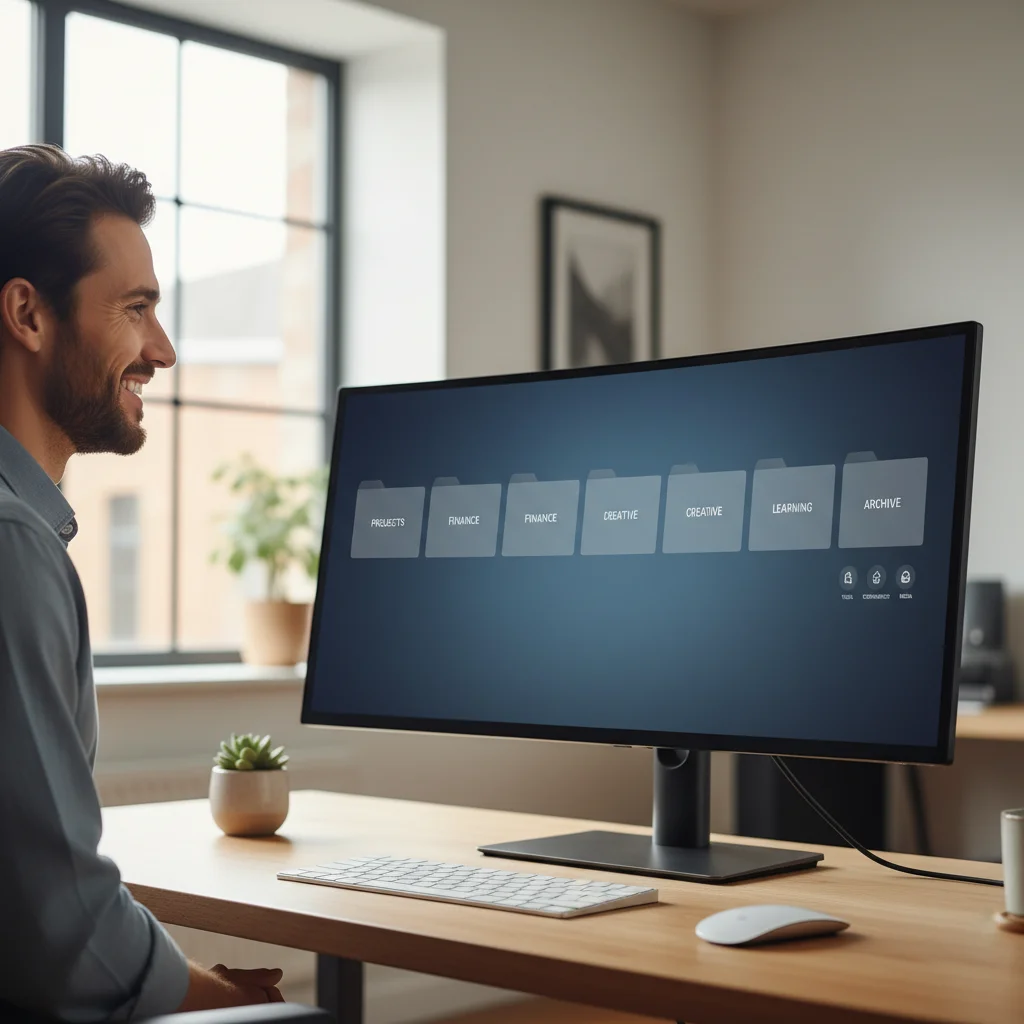
- Develop a Logical Folder Structure: This is the backbone of desktop organization. Instead of dumping everything into one folder, create a hierarchical system that makes sense to you. Examples include:
- Main Categories: "Work," "Personal," "Projects," "Archives."
- Sub-Categories: Within "Work," you might have "Client A," "Client B," "Admin." Within "Client A," you might have "Proposals," "Deliverables," "Communications."
- Naming Conventions: Use consistent naming conventions for files (e.g., "YYYY-MM-DD_ProjectName_DocumentType"). This makes searching and sorting far easier.
- Utilize Cloud Storage: Services like Google Drive, Dropbox, or OneDrive are excellent for storing files, accessing them from anywhere, and sharing them. They also reduce the burden on your local drive. Move non-essential files to the cloud.
- Implement a "Process" or "Temporary" Folder: Create one folder on your desktop specifically for files you are currently working on or need to process. Commit to clearing this folder at the end of each day or week, moving files to their permanent homes.
- Regular Backups: While not strictly decluttering, regular backups are crucial for digital peace of mind. They protect you from data loss and allow you to delete old files with confidence, knowing they’re safely stored elsewhere.
- Mindful Downloads: Before downloading anything, ask yourself: "Do I really need this? Where should it go immediately after download?" This proactive approach prevents future clutter.
A tidy desktop is a clear mind. By implementing these strategies from this digital decluttering guide, your desktop will become a launching pad for productivity, not a graveyard of forgotten files.
Step 3: Digital Mindset Shift – Cultivating Habits for Lasting Organization
True digital decluttering isn’t just about one-time cleanups; it’s about fostering a new relationship with your digital tools. By 2026, the goal is to have ingrained habits that prevent clutter from accumulating in the first place. This final step of our digital decluttering guide focuses on the psychological and behavioral changes necessary for long-term success.
Cultivating Mindful Digital Habits
- Digital Review Sessions: Schedule regular (weekly or monthly) "digital review" sessions. Use this time to go through your downloads folder, review your email folders, clear your desktop, and check for unused apps. Think of it as a digital "tidy-up" day.
- The "One In, One Out" Rule (Digital Edition): When you download a new file, consider if there’s an old, similar file you can delete or archive. When you sign up for a new service, unsubscribe from an old, unused one.
- Optimize Notifications: Notifications are perhaps the biggest digital distraction. Go through every app on your phone and computer and disable all non-essential notifications. Only allow those that are truly urgent or important. Consider "Do Not Disturb" modes during focused work.
- Curate Your Digital Subscriptions: Regularly review your subscriptions (newsletters, streaming services, software). Are you still getting value? If not, cancel or unsubscribe. This applies to social media follows too – unfollow accounts that don’t inspire or inform you.
- Organize Your Photos and Videos: This is a massive area of digital clutter for many. Implement a system for organizing your digital photos: use cloud storage, create date-based folders, and delete blurry or duplicate shots regularly. Consider using photo management software.
- Password Management: While not directly decluttering, strong password management is a key aspect of digital hygiene. Use a password manager to securely store unique, complex passwords for all your accounts. This reduces mental clutter and enhances security.
- Regular Software Updates: Keep your operating system and applications updated. Updates often include security patches and performance improvements that contribute to a smoother, less "cluttered" digital experience.
- Embrace Digital Minimalism: Consider adopting principles of digital minimalism. This doesn’t mean abandoning technology, but rather being intentional about what digital tools you use, how you use them, and for how long. It’s about prioritizing high-value digital activities and shedding the rest.
The Psychological Benefits of Digital Organization
Beyond the tangible benefits of saved time and improved efficiency, a decluttered digital life offers profound psychological advantages:
- Reduced Decision Fatigue: Fewer choices to make about where to save a file or which email to open next means more mental energy for important decisions.
- Enhanced Focus and Concentration: With fewer distractions, your brain can dedicate its full attention to the task at hand, leading to higher quality work and a greater sense of accomplishment.
- Greater Sense of Control: Taking charge of your digital environment empowers you, reducing feelings of being overwhelmed by technology.
- Improved Mental Clarity: A clear digital space often translates to a clearer mind, fostering creativity and innovative thinking.
- Less Stress and Anxiety: The constant low-level stress associated with digital clutter dissipates, replaced by a sense of calm and order.
This digital decluttering guide, when applied consistently, will lead to a significant positive shift in your daily life. Imagine starting each workday with a clean inbox, an organized desktop, and a clear mind. By 2026, this can be your reality.
Tools and Technologies to Aid Your Digital Decluttering Journey
While the principles are paramount, various tools can significantly assist your digital decluttering guide efforts. Consider incorporating some of these into your routine:
- Email Management Tools:
- Gmail/Outlook Filters and Rules: Master these built-in features to automate sorting, archiving, and even deleting emails.
- Snooze Features: Available in most modern email clients, they help defer emails until you’re ready to deal with them.
- Unroll.me/Cleanfox: For quickly unsubscribing from multiple mailing lists.
- File Management & Cloud Storage:
- Google Drive/Dropbox/OneDrive: Essential for cloud storage, syncing, and sharing files, reducing local drive clutter.
- Duplicate File Finders: Software that scans your hard drive for identical files, allowing you to delete duplicates.
- Disk Cleanup Utilities: Built into operating systems (or third-party tools) to remove temporary files, old system files, and other junk.
- Note-Taking and Task Management Apps:
- Evernote/OneNote/Notion: Centralize your notes, ideas, and important information, reducing the need for scattered text files.
- Todoist/Asana/Trello: Move tasks out of your inbox and onto a dedicated task management system, ensuring nothing falls through the cracks.
- Password Managers:
- LastPass/1Password/Bitwarden: Securely store and generate strong passwords, reducing cognitive load and enhancing security.
- Website Blockers/Productivity Apps:
- Freedom/Cold Turkey: Temporarily block distracting websites and apps to aid focus during deep work sessions.
Remember, the tool is only as good as the hand that wields it. Integrate these tools thoughtfully into your established digital decluttering guide workflow, rather than letting them add to the complexity.
The Journey to a Digital Utopia by 2026
The path to a fully optimized digital life is a journey, not a destination. It requires consistent effort, self-awareness, and a commitment to maintaining the systems you’ve put in place. By diligently following this digital decluttering guide, you are not just organizing files and emails; you are reclaiming your time, reducing your stress, and enhancing your capacity for focused, meaningful work.
Imagine the freedom that comes with knowing exactly where every file is, the calm of an empty inbox, and the clarity of a minimalist desktop. This isn’t a fantasy; it’s an achievable reality by 2026. Start small, celebrate your progress, and be patient with yourself. Every deleted email, every organized folder, and every unsubscribed newsletter is a step towards a more serene and productive digital future.
Don’t let digital clutter define your efficiency or dictate your peace of mind. Take control, implement these essential steps, and look forward to a digitally organized and empowering 2026!